How to Lower or Raise a Basketball Hoop (Every Adjustment Type)
Besthoopslab is reader-supported. As an Amazon Associate, we earn from qualifying purchases.
Quick answer: First, find out which adjustment system your hoop has: a crank, a lift-assist handle, a telescoping pole with a pin, or a broomstick trigger. Clear the area, make sure nobody is hanging on the rim, then adjust using that system. Most adjustable hoops move between about 7.5 and 10 feet, and the change takes 2 to 10 minutes.
Lowering the rim for younger kids is one of the best things you can do for their shooting form. Raising it back to 10 feet for game practice is just as important. Here is how to do both safely.
Before You Start: Safety Checklist
- Make sure nobody is under the backboard or holding the rim.
- Remove balls and toys from the playing area.
- Check that a portable base is fully filled. An under-filled base can tip while the weight shifts.
- Do not adjust in strong wind.
- Keep your hands away from the moving arms and pivot points.
How to Adjust Each Type of Hoop
1. Crank Adjustment
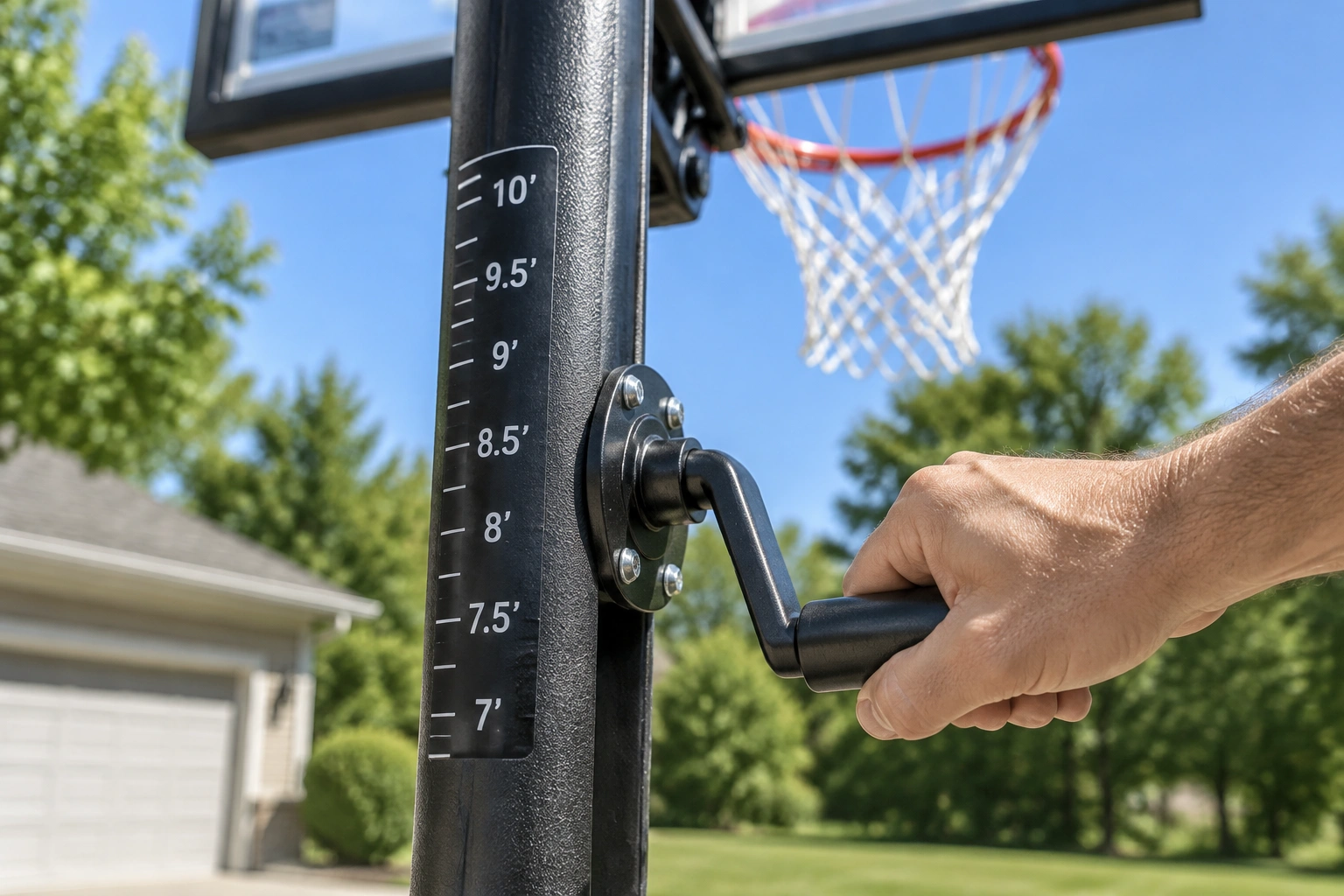
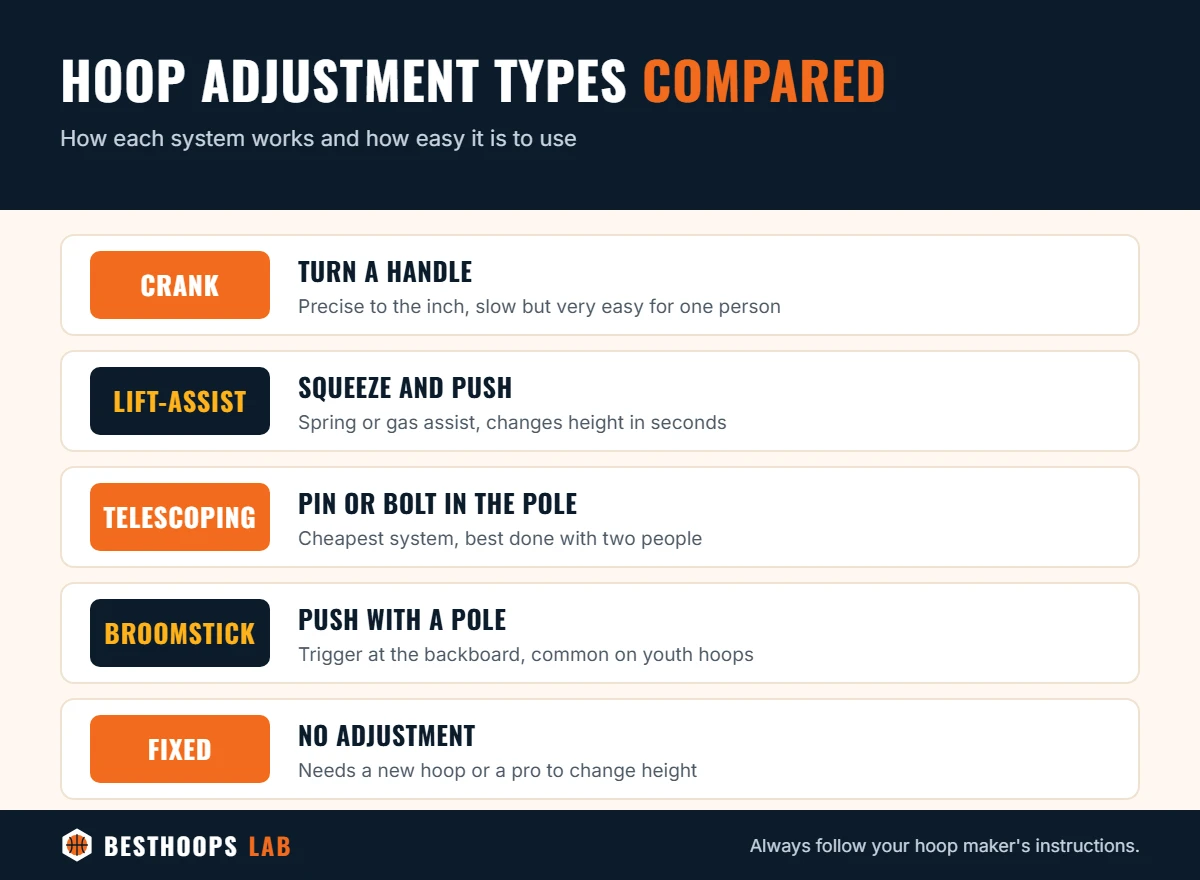
Crank systems use a handle on the pole that turns a threaded rod connected to the arms holding the backboard.
- Fold out or attach the crank handle.
- Turn it one way to lower the hoop and the other way to raise it (your manual or a label on the pole shows the direction).
- Watch the height scale on the pole and stop at the height you want.
- Fold or remove the handle so kids do not play with it.
2. Lift-Assist (Spring or Gas) Handle
Many mid-range and premium hoops use a handle on the pole that releases a lock. A spring or gas cylinder carries most of the backboard’s weight.
- Grip the handle firmly with both hands.
- Squeeze the release lever.
- Push up to lower the backboard, or pull down to raise it (direction varies by brand).
- Let go of the lever at the height you want and make sure it locks into place.
3. Telescoping Pole With a Pin or Bolt
Budget portable hoops often have a pole made of sections that slide inside each other, held by a pin, bolt or knob.
- Have a helper support the upper pole section.
- Remove the pin or loosen the bolt.
- Slide the pole up or down until the holes line up with the height you want.
- Put the pin back in and tighten it before letting go.
4. Broomstick (Trigger) Adjustment
Some youth and mid-range hoops have a trigger near the backboard arms. You reach it with a broom handle.
- Place the end of a broom handle into the adjustment cup or against the trigger.
- Push up to release the lock.
- Raise or lower the backboard with the broom handle.
- Release so the mechanism locks at the next height setting.
What If Your Hoop Is Fixed?
Some in-ground and wall-mounted hoops are fixed at 10 feet. You cannot safely change their height without the manufacturer’s adjustment kit. For young kids, a second, smaller adjustable or portable hoop is usually the easiest solution.
Troubleshooting: Hoop Will Not Move
- Stiff crank: clean and lightly lubricate the threaded rod with a silicone or lithium spray.
- Lift-assist will not hold: the spring or gas cylinder may be worn. Contact the manufacturer for a replacement part.
- Telescoping pole stuck: rust or dirt can bind the sections. Clean them and apply a light lubricant.
- Height scale is off: check the real height with a tape measure from the ground to the top of the rim.
Which Height Should You Choose?
A good rule: 8 feet for ages 7–8, 9 feet for ages 9–11, and 10 feet from age 12. See the full chart in our hoop height by age guide.
Frequently Asked Questions
Can one person adjust a basketball hoop?
Yes for crank, lift-assist and broomstick systems. Telescoping poles are safer with two people because one person needs to hold the upper section.
How low can an adjustable hoop go?
Most full-size adjustable hoops go down to about 7.5 feet. Youth hoops can go as low as 4 to 6 feet.
The Bottom Line
Identify your system, clear the area, and adjust slowly. Crank and lift-assist hoops are one-person jobs; telescoping poles need a helper. Then measure from the ground to the top of the rim to confirm the height.